Subscribe in a reader

Wednesday, 24 May 2017

Mozilla's X-Ray Goggles - Coding into Social Studies and Art Classrooms

Just came across an awesome  extension - Mozilla's  X-Ray Goggles extension.  In Social Studies classrooms, do you want the students to think critically and write/modify the news articles without taking sides, and publish them?  In Art classes, do you want the students to change the code, play around and get a new art piece?  Mozilla's X-Ray Goggles are the easiest way to design a powerful activity in your classrooms.  Bonus:   Teaching Coding in the classrooms in a fun way!

Watch the video:
How to do?  Here is the link to the instructions:

  • Of course you need to download and install Firefox browser. No worries, it is free.  
  • In the Firefox browser, view-->  Bookmarks bar
  • Type in X-Ray Goggle Extension in the browser
  • Drag and Drop the Extension logo into the bookmarks
  • Open the news website or any website that you want the students to play around with
  • Click on X-Ray Goggle
  • Change the code and publish your very own news articles! 
Here is the sample activity that you can try:


More ideas to teach in the classrooms:

Let me know if you need to set it up for your classrooms.....


MakeologySummit @ AISC - Top Tips


Makeology Tweet Tips!


  • Learn by iterating. Saba Ghole. Wisdom for school improvement? @makeology
  • Don't like your project? Turn it 90 degrees.
  • Learning to see through design and making. Saba Ghole.
  • Playing with Makey Makey at Makeology Summit,
  • Fuel your creativity. Saba Ghole
  • @makeology @AISChennai  In a school where students are experts at process, would we care what the product looked like?
  • Makers innovate and grow their resilience. AISC Learner Vision frames a problem-solving mindset.

Weabrable Tech: https://github.com/blhack/wearables
  • Lilypad
  • Arduino Programming
  • Conductive Thread
  • Adafruit Neo Pixel Lights
  • https://punchthrough.com/bean - arduino with cell phone
  • https://circuits.io/  - simulator for circuit teaching


Monday, 10 October 2016

#Learning2Asia@October 2016 #takeaways


With lots of overwhelming ideas/thoughts reeling in my head,I am back from Ho Chi Min City, Vietnam "Reenergized" and ready to "Reimagine Learning". The theme of this Learning 2.0 Asia in Ho Chi Min City from October 6th to 8th 2016 is 'Reimagine Learning'.  How can schools be redesigned to empower imagination, creativity and foster learning?


Personal Pride:

What could be more satisfying than seeing two of your students in the leadership (on their way to leadership) roles?  One of them was leading the Student Workshops and gave an excellent Learning2 talks, the other one being the Technology Leader in the Middle School.  


Learning in the Making Pre-conference:

Brian Smith provided 

The groups struggled to figure out in the beginning.  However, finally they came up with amazing projects!  Will this be possible with younger students? Will this be possible with all the students?..  I wonder.

Robot in a Box:

Ringo spread his passion for Robots throughout the workshop.  His Learning2 talk was on Robotic Costume which can play different songs.

His three hour long extended session was totally opposite to Brian's style.  He gave step by step instructions to complete many Arduino projects.  He gave code, step by step instructions through this instructable lesson.  What blew me was the way in which he made it possible for the participants to complete a project without going into coding, electronics or any of the whys.   This style is great when you want to introduce some complicated concepts and fire the thirst for deeper learning.  Personally for me, even though I am a bottom to top style person, the satisfaction of having completed a working project and my confidence to learn the rest by myself left me very satisfied.

Rebrand Teaching (Tosco Killoran)

HERE is her presentation. Some quotes from her presentation:

  •  "You cannot sell sameness"
  •  Don't be a broken relationship (404 error): Video  
  • "Little things done right, matter"
  • "Well designed moments build brand"
  •  "A simple mistake can tell me what you aren't or remind me why I love you"
    Rebrand Yourself and help your students strategize their successful branding:
  • contribute to a collective #ReBrandTeaching Magazine. Please bring a small prop of something that represents you outside of ‘teaching’. We will take photos in order to see teachers as more than their role in schools
  • create a personally branded website using About me - mine
  • create a personal brand or ReBrand on social media
  • share the successful branded student stories with your students: Examples MattyB, Nash Grier (Nash Grier. ABOUT Known for his comedic sketch videos on YouTube and Vine, he has over 12.4 million Vine followers and more than 4.7 million YouTube subscribers.)

        Technology Tool: (courtesy Tosco Killoran)

        Example:  https://flipgrid.com/1b61ab62

        Flipgrid is simple yet powerful. Educators create grids with topics and students respond with recorded videos to discuss, reflect, and share via webcam, tablet, or mobile device. The respondents can record one minute and 30 seconds video to share it with the group. 30 day trial and the yearly subscription costs $65.

        Sunday, 9 October 2016

        TechnoPlot Predictions


        What words are displayed?

        How are they sized?

        What might be the main parts of the plot?

        Do you know the title of this book?

        If you said, Fireflies by Julie Brinckloe you are correct! 

        This lesson is adapted from Common Sense Media: Making Predictions about Plot Using Word Clouds.

        To begin the lesson, you would want to make a word cloud with a book that students have already read. I used wordle.net to create my word cloud by copying and pasting the entire text of the book into the site. (There are other sites and apps available.) This will give students a chance to recognize how word clouds are created; the more the word is repeated the larger it is in the word cloud. 

        Next have students create or use a teacher created word cloud of a book they are going to read. Have students make connections between the words in the word cloud and the plot of the story. What might be your prediction for the summary of the plot based on the word cloud?

        Students could also make word clouds as an alternative to a reading response. Have students think about the main idea or theme of the story using words in the book. Then have them create a word cloud to connect the plot with the words. 

        Do you have older students? Have students create word clouds in Google Slides for each chapter of their book. They can write a quick plot prediction. After reading the chapter, have students compare and contrast their predictions with the actual story. What parts did they predict accurately? Which parts were different?

        Happy Wordling!

        Sunday, 8 May 2016

        Google Slides with Laser Pointer and Q & A feature!-- Another Formative Assessment Tool!

        Google has added an awesome formative assessment feature in Google Slides!  The Question and Answer feature is found in the presentation mode of Google Slides.  With this feature enabled, you can send your audience to s specific URL at which they enter questions.  Your audience can vote for their favorite questions.  The presenter can choose to project the most favorite questions to answer or discuss.  

        The other fantastic update to Google Slides - addition of a "laster printer"  feature int he presentation mode.  This feature allows you to highlight portion of your slides for your audience.

        Here is how?


        What better and handy tool for formative assessment than this?

        Friday, 6 May 2016

        Book Marketing: A Different Way to Get Attention for a Book

        I have recently had the privilege of working with Allison, Brian, and Lauren on a book trailer project with the Grade 4 students.

        It was so much fun to teach the students about the Art of Digital Storytelling. We began by using Bernajean Porter's description of images. This is the craftsmanship phase of digital storytelling. Here is the poster we used with students.


        Then we went on to talk about the emotion of the music. Music is what creates the emotions and feelings in our digital stories. It can captivate an audience or make an audience feel confused. Students listened to several different pieces of music on Zaption and wrote the feelings that each piece evoked in them. 

        In conjunction with discussing these topics, we also began the process of synthesizing the messages in their books into a book trailer. Students watched several examples of book trailers and created a list of the items that a good book trailer contained. They then analyzed more book trailers with a rubric. At last they began their own journey of creating book trailers with their book club books.


        Students began creating the book trailer by completing a story arc. Then they thought about the most important parts of the book; parts that were exciting, sad, or dramatic. Along with this, they chose quotes from the text that portrayed the character's traits. Finally, they completed a storyboard that was used to identify the media and script of their trailer.  They are still in the process of finishing their videos but we have seen many close to completion and they are terrific.


        I was lucky to accompany the teachers through the planning process and was present for many of these lessons. We will be making an Aurasma wall in the library so that the videos are available for our entire community. Look for this in about a week. We can't wait to show off the students wonderful work!

        Thursday, 5 May 2016

        Fractured Fairy Tales- Exploring Different iPad Apps


        All people have creative abilities and we all have them differently. I know that when individuals find their creative strengths, it can have an enormous impact on self-esteem and on overall achievement. I experienced that last week as I created examples of the fractured fairytales using Toontastic and the comic feature in Book Creator.


        The past two weeks have been an interesting week for me. Hilary and I have been working with Tiffany on creating fractured fairytales using iPad Apps. The entire experience for me personally has been challenging. After researching and seeing the pros and cons of different apps we finally decided on choosing Toontastic, Stop Motion, Powtoons, Puppet Pals and Book Creator. We worked hard on creating examples and in the process discovered how much planning it takes to create an effective digital story. You can view some of the examples here.


        Creating a good digital story is definitely time consuming and made me realise that if it took me so much time to create an example it would take the  students time to become familiar with a tool and then employ it for their project. We wanted to give students choices in order for them to decide which tool would serve them best. The solution was to allow the students to explore each tool with some guided practice.


        We decided to do tech rotations by setting up different stations that would give the students the opportunity to come and explore the app for 20 minutes before they moved to the next station. Without this kind of exposure to different choices we could not expect our students to create meaningful pieces of work that showed their applied understanding of using a tech tool.


        This project is in the process now and even though it is time consuming it makes it worthwhile as we know that it gave the students a chance to explore different apps and investigate questions they may have had in regards to the technology they used. By taking the time at the beginning, students saved time when they started creating their stories. Tiffany did an amazing job having the kids ready with their storyboards and completed fractured fairytales. Look at this space for the stories to come to life when they are finished. If you wish for us to come and work with your class in exploring these different apps please schedule a time to meet with Hilary. We would love to come and work with your kids and expose them to these apps that would bring their stories to life.

        Thursday, 28 April 2016

        Padlet - A tool for Collaborative Sharing.

        Padlet - A tool for Collaborative Sharing.

        I was looking for a place where I could project the work of all students in my class. I wanted my students to benefit from the work of other students and also to post their feedback. Ms.Geetha gave me few options and at this point of the year when I am busy with too many things happening I was kind of hesitant to try anything. But to my surprise it did not take much of my time, but at the same time I could place all that I wanted in one wall.

        ·      Students work
        ·      Students in action in class
        ·      Feedback from students.
        I am sure it will be good for parents also to see. This could be adapted for other purposes in my class.
        Here is the link to our class work. Much more could be added to this!


        Friday, 15 April 2016

        Inform, Engage and Hook your Viewers with Infographics

        3 ways to REDUCE information OVERLOAD with INFOGRAPHICS
        Source: http://piktochart.com/blog/3-ways-reduce-information-overload-infographics/

        1. Less Text, More Data


        2. Layout Guides the Flow 

        http://image.slidesharecdn.com/fas64keyrecipesforkillerinfographics-140325160557-phpapp02/95/friday-session-64-key-recipes-for-killer-infographics-58-638.jpg?cb=1395900363
        R
        Resources for making the best out of Visual Arrangement:

        3. Visual Appeal


        Appeal to your audience by considering basic graphic design principles – color, icons, and white space – and using them to your advantage.   More on color, icons and white space

        Final word....

        An infographic’s main goal is to inform, but in order to do that, it needs to engage. 
        • Get straight to the data in order to hook your viewers at first sight. A
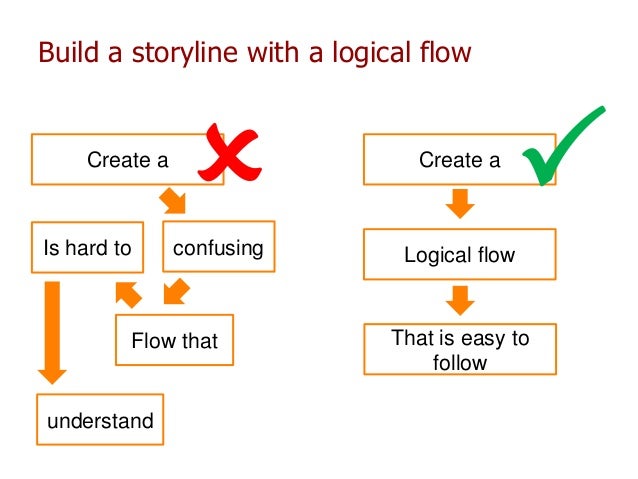
        • Arrange it into a logical flow reflected in your layout and an overarching visual metaphor.
        • Reel the viewer’s gaze in with appropriately used graphic design principles.

        The Takeaway: Clean up the Clutter


        Wednesday, 13 April 2016

        Technology integration in the Spanish classroom

        I wanted to share what Middle School students are producing not only becoming fluent with the Spanish language, but also becoming fluent using a variety of tools and integrating technology.

        Click PLAY  and enjoy!


        Monday, 11 April 2016

        Subject: Disregard That Last Email... OR Some Tips for Email Etiquette

        I've done it and maybe you have to — sent an email that I immediately realized I didn't need to, that I shouldn't have or that I might have sent to the wrong recipient. Or, what I do too many times to recall, send it so quickly that I forget to attach the document that was the purpose of the email in the first place.


        Photo Credit: midwest.communications via Compfight cc

        Regardless of the types of etiquette faux pas we might have made, it helps to sometimes think about how we use our email to try to avoid mistakes and keep it professional, especially because email continues to be an essential part of our daily work. In fact, one study found that answering and replying to emails takes up about 25% of our work week.


        Image from mckinsey.com

        I recently found an article, "15 Email-etiquette Rules Every Business Professional Should Know," on the Business Insider website. It gives a few quick tips to help keep your email professional and some that might help you avoid making a mistake. I especially like the reminder about considering whether to "Reply All" and the tip to enter the addresses into the recipient field after composing the email.

        This is worth the quick read, as both a reminder and maybe for a new tip or two.

        Tuesday, 29 March 2016

        Dance Along With Chemistry

        This is what happens when you ask General Chemistry students to make a music video (or teaching with humor)!

        Check out these creative youtube videos that are chocked full of learning.

        Here is the playlist

        Here is the rubric

        What the students had to say

        "I thought it was a good project with the right amount of time to complete it. The project allowed us to use more creativity as well as demonstrate our knowledge of chemistry."

        "I think it was an interesting and helpful way to learn and understand content better, especially when you have to apply it."

        "First, I was worried about if we could sing or not however, while we were doing, it was really fun and if I have chance to do it again, it will be pleasure."

        "I think all of us worked together well as a group, and I really enjoyed it. I hope this goes on next year."

        "It was an overall fun experience and I was able to learn and better remember the concepts we demonstrated in our video in a fun manner."

        Friday, 11 March 2016

        Gamify Learning in Your Classroom

        What a great afternoon we had on Wednesday, sharing on different aspects of Inquiry in the Digital Age. I had a great time discussing principles and strategies for gamifying your classroom. If you were in a different session or want to revisit some of the information I shared, check out the resources below or schedule some time and I can help you work some of these concepts into your next unit or lesson sequence.

        Paul Andersen, from bozemanscience.com, discusses how he turned his AP Biology class into a video game:


        And look for some more PD opportunities around AISC about particular aspects of gamifying learning in your classroom.

        Play Hard and Level Up, Everyone.

        Tuesday, 8 March 2016

        12 Great Virtual Field Trip Ideas

        Getting out of the classroom and into the world has never been easier, at least virtually. Technologies have improved rapidly to bring immersive imagery and live video into reach for schools. Whether you want to visit a city, a mountaintop, a watering hole, or a space station, there is a virtual field trip out there waiting for you to explore it. These days, getting there is the easy part, the challenging part is structuring the inquiry around it to make the experience powerful for your learners. Leave a comment if you have any great ideas for supporting inquiry with these experiences.

        Check out these great sites for virtual experiences.

        Virtual Field Trips
        Structured Interactive Tours
        • Google Street View 
          Google can take you almost anywhere, street or no street. These structured tours are great for open-ended explorations and are practically inexhaustible. 
        • London Virtual Tour - visitlondon.com
          Visit key sites in London and learn about the importance of each to Britain's history.
        • Discovery VR | A new way to see your world
          This site uses interactive video to tour different points of interest around the world.  As the video plays, click around the video to pan and zoom in a 
          360° view. The ads can be a little annoying, but you can skip through them.
        • Thing Link - Train like an astronaut with Samantha Cristoforetti
          Thing link is not so "panoramic", but has other videos and links embedded in an image to learn more about what you are looking at, much like a museum display might have.
        • India Virtual Reality Tours
          Uses anchors built into the 360° tour to illuminate key areas of important historical sites in India. Look for the little red pins to find the next point of interest.
        Live Web Cams
        • Your Zoo View | The Columbus Zoo and Aquarium
          Great timing for India as Australia is 5 1/2 hours ahead.  Catch feeding times and other interactive moments if you plan ahead.  The cameras allow users to even pan and zoom in on a live zoo or aquarium installation. 
        • Wild Animal and Zoo Live Webcams on LiveAnimals.tv
          This service shows animals in the wild through a variety of webcams. There is no guarantee of seeing anything on some of the cams, much like a real safari, but with persistence the rewards can be thrilling. Also,  keep time differences in mind when planning with your class. 
        • Webcams - Dublin Zoo, Ireland.
          Elephants, wolves, penguins, and African savannah webcams at decent times for india and in English.
        • Snow Monkeys Live 
          Though this site leads to a zoo in Edinborough where they feed the monkeys every day at 11:30 am, you could easily have your students find webcams of their favorite spots in their home countries.
        Interactive Panoramas

        Thursday, 3 March 2016

        Language of Social Media - Twitter, Hashtags and Memes in Classrooms:

        As a sequel to Tom’s blog post on twitter, I would like to share one of my takeaways from “ASB Unplugged”.  Here is my little effort in bringing you a Grade 10 English classroom lesson on “The language of Social Media” particularly ‘hashtag”ging history and “meme”ing to you
        The warm up exercise included the following hashtag and twitter activities.
        Hashtag Exercise:
        1. Choose two historical events that you studied in History class. Create hashtags that would have been effective in trending these boycotts, strikes, and instances of civil disobedience.
        Tweeting Exercises
        1. Define yourselves in a tweet.  Don’t think too hard about it
        2. our school’s (ASB) mission statement is currently 148 characters. Shorten the statement without compromising its meaning and so that you can also use hastag #asbindia at the end.
        The class shared a few of the student examples.

        Hashtagging Rules:
        1. Don’t overuse  2 or 3 hashtags for one post
        2. Keep them short
        3. Define your tag using https://tagdef.com/ to be visible on Internet
        4. No punctuation in hashtags

        The class was asked to read one of the following articles and discuss.

        Evaluating Hashtags:
        Discussions on whether or not hashtags are effective means of instigating social change?

        Next the class went on to explore “Memes”

        Screen Shot 2016-03-02 at 10.41.31 PM.png

        If you want to know more about “Memes” and how to use them to connect your classroom, read this.

        The students were asked to create their own memes regarding their life at ASB using
        http://memegenerator.net/.  Just like the “Lays” advertisement, “No one could stop with one”, the students wanted to do more memes.


        As we, the educators always do, let us innovate new ways we can incorporate twitter, hashtags and memes to make learning more effective and fun!