Subscribe in a reader
Showing posts with label technology in the classroom. Show all posts

Friday, 15 April 2016

Inform, Engage and Hook your Viewers with Infographics

3 ways to REDUCE information OVERLOAD with INFOGRAPHICS
Source: http://piktochart.com/blog/3-ways-reduce-information-overload-infographics/

1. Less Text, More Data


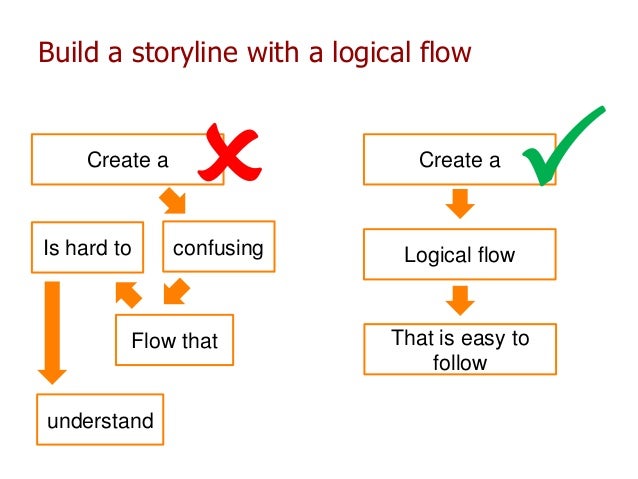
2. Layout Guides the Flow 
http://image.slidesharecdn.com/fas64keyrecipesforkillerinfographics-140325160557-phpapp02/95/friday-session-64-key-recipes-for-killer-infographics-58-638.jpg?cb=1395900363
R
Resources for making the best out of Visual Arrangement:

3. Visual Appeal


Appeal to your audience by considering basic graphic design principles – color, icons, and white space – and using them to your advantage.   More on color, icons and white space

Final word....

An infographic’s main goal is to inform, but in order to do that, it needs to engage. 
  • Get straight to the data in order to hook your viewers at first sight. A
  • Arrange it into a logical flow reflected in your layout and an overarching visual metaphor.
  • Reel the viewer’s gaze in with appropriately used graphic design principles.

The Takeaway: Clean up the Clutter


Wednesday, 13 April 2016

Technology integration in the Spanish classroom

I wanted to share what Middle School students are producing not only becoming fluent with the Spanish language, but also becoming fluent using a variety of tools and integrating technology.

Click PLAY  and enjoy!


Saturday, 20 July 2013

Wikis or Blogs? Should I use a Wiki or a Blog in my classroom?


Blog Wiki

5 ways to use wiki in your classrooms:
credit: http://www.freetech4teachers.com/2012/12/5-ways-you-can-use-wikis-with-students.html#.Ueo0TR1geSo

1. As a digital portfolio of student-created videos/projects

2. As a place for students to share notes on each unit of study in your courses.

3. As an alternative to textbooks. Work with colleagues in your school or department to create a multimedia reference site for your students. Include YouTube videos that use the "choose your own adventure" model to allow students to pursue areas of interest.

4. As an alternative to textbooks. Have students create reference pages for units of study in your course. When you do this students become responsible to each other for creating accurate and meaningful content that they can refer to when it comes time for assessment. For example, when the author of the blog got to the 1920's in his US History curriculum he had each student create a page on a wiki about a theme from that decade. Some of the themes that the students cover are fashion, entertainment, and sports. 

5. As a place to track, document, and manage on-going community projects. In  one US district every student is required to complete a community service project before graduation. As a homeroom or "common block" advisor teachers are supposed to help their students take the necessary steps to document that work. By creating a homeroom wiki you create a place where students can make weekly updates about what they have done to complete their projects.